Ink Meets Cloud: A Modern Note Habit
Why Paper Plus Cloud Feels Effortless
Tools That Bridge Pages and Pixels
Notebook and Pen Choices
Choose paper that balances smoothness with drying time, so highlighters do not bleed during scanning. Number pages at setup to simplify indexing. Pens with pigment ink resist smearing, while subtle color coding supports later searching. Comfort matters, because tools you enjoy become habits you repeat consistently.
Scanning and OCR Options
Start with trusted mobile scanners that correct perspective and shadows automatically. Enable OCR in your language and test a messy page; accuracy should survive arrows, bullets, and sketches. For bulk, a flatbed or document scanner speeds capture days. Store raw images, too, for future reprocessing.

Capture, Scan, Sync: A Daily Flow
Morning Setup Ritual
Open your notebook to a dated spread with priorities, a small time block, and an empty capture column. This structure limits multitasking and primes intent. A single star means must‑do; a hollow circle signals maybe. Later, those symbols convert neatly into digital tasks and tags.
Meeting and Field Notes Pipeline
During fast meetings, write key nouns, decisions, and owners in bold, leaving generous margins for follow‑ups. Photograph pages immediately afterward, while memory is fresh, and add a quick title. Colleagues appreciate receiving searchable notes within minutes, and you avoid losing momentum or misplacing action items.
Evening Review and Tagging
End the day by scanning remaining pages, tagging projects and people, and promoting any open bullets to your task manager. Leave a short retrospective sentence about what mattered. That breadcrumb helps tomorrow’s focus spread connect instantly, preserving context without rereading entire logs or inboxes.
Indexing, Tags, and Smart Retrieval
01
Analog Index Anchors
Reserve the first two spreads for a rolling index. As you fill pages, copy headings and page numbers forward, grouping by project or question. This practice makes scanning predictable and turns casual flips into precise retrieval, even before your digital system finishes syncing.
02
Tagging That Mirrors Reality
Treat tags like durable labels rather than moods. Prefer nouns—client, sprint, bug, invoice—over vague feelings. Cap the list, publish a reference on the inside cover, and mirror the same set in your app. Consistency multiplies search power across hand‑written and cloud entries.
03
Search Patterns That Actually Work
Learn two or three reliable search patterns: tag plus date range, tag plus person, and project name plus keyword. Save them as app filters. When you repeat the patterns weekly, your brain learns where things live, and retrieval time collapses dramatically.
Security, Privacy, and Reliability



Creativity, Learning, and Team Sharing
Sketches, Diagrams, and Visual Thinking
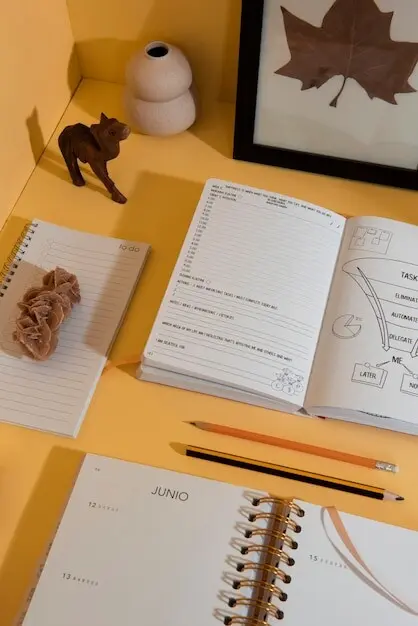
Sketch workflows, mind maps, and systems diagrams on paper first, then scan to layer hyperlinks, color, and references. The analog draft captures spontaneity; the digital layer shares clarity. Revisit earlier drawings to see growth patterns, and celebrate the messy beginnings that led to polished outcomes.
From Notes to Learning Systems
Turn dense pages into brief summaries, then copy highlights into spaced‑repetition cards with links back to original scans. The retrieval practice strengthens understanding, while the scan preserves nuance and context. Over months, your notebook becomes a living syllabus that reliably upgrades skills.